Securing My Home Network with AI
I spent the weekend making my home network more secure, and the whole thing was just a conversation.
Not “I asked an AI to generate a security checklist and then went through it.” More like: I sat down with a CLI agent, started talking about my network, and kept going. Over the next several hours, we port-scanned the network, audited what was exposed, hardened the NAS, built documentation crawlers, wrote an 8-phase improvement plan, and generated 24 Markdown docs from the Synology API. I never opened a browser to search for how to do any of it. I just kept talking.
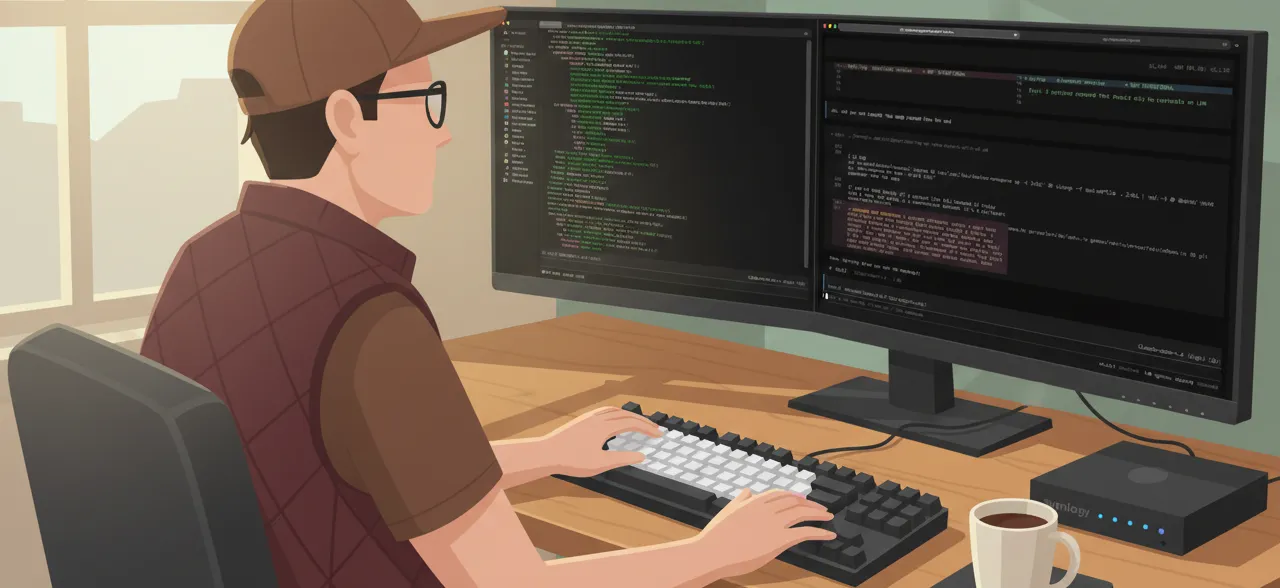
I’ve been thinking a lot about designing collaborations rather than just automations, and this project turned out to be the most fun example yet. The AI did the coding. I made the decisions. And the project harness we built along the way kept getting smarter.
The Setup
My home network is the usual story of accumulated decisions. Fiber into a gateway in IP passthrough mode, feeding a mesh router, serving about 46 devices on a flat network. A Synology NAS running Docker containers for game servers, an nginx reverse proxy, Let’s Encrypt cert management, and a few other things.
One of the first things the agent generated was a topology diagram. Here’s a simplified version with fake addresses:
Internet
  │
  ▼
┌──────────────┐
│   Gateway    │  passthrough mode
│  (fiber ISP) │
└──────┬───────┘
       │
┌──────┴───────┐
│  Mesh Router │
│  + 2 sats    │
└──────┬───────┘
       │
       ├── NAS
       │    ├── Docker: nginx reverse proxy (TLS)
       │    ├── Docker: game servers
       │    ├── Docker: certbot (Let's Encrypt)
       │    └── Tailscale VPN
       │
       ├── Laptops, phones, tablets
       ├── Smart TV, streaming devices
       ├── IoT: smart plugs, cameras, sensors
       └── ... ~40 more devices
Having this in a version-controlled Markdown file—generated from the conversation—turned out to be surprisingly useful. It became the reference point for every decision that followed.
I’d been meaning to audit the whole setup for a while. Not because anything was broken—everything worked fine—but because I’d been port-forwarding and enabling services for years without ever going back to see what the cumulative result looked like. It was a weekend project I kept not starting.
What made it fun this time was the format. Instead of researching and executing solo, I opened OpenCode—a CLI coding agent—and just started a conversation.
Just Keep Talking
The first thing I said was something like “help me understand what’s exposed on my network.” The agent ran nmap, parsed the results, and we talked through each open port together. Some were intentional (the game server, the reverse proxy). Some were not—services I’d never intentionally exposed to the internet. We built a security audit document right there in the conversation, categorizing everything by severity.
Here’s roughly what that audit looked like (with fake details):
External Port Scan Results
──────────────────────────
PORT      SERVICE                 STATUS
xx/tcp    reverse proxy (HTTP)    ✓ Intentional
xx/tcp    reverse proxy (TLS)     ✓ Intentional
xx/tcp    game server             ✓ Intentional
xx/tcp    storage replication     ✗ NOT INTENTIONAL
xx/tcp    admin UI                ✗ NOT INTENTIONAL
xx/tcp    discovery service       ✗ NOT INTENTIONAL

Risk: 3 services exposed that should only be reachable on LAN
Seeing it laid out like that made the problem concrete. Three ports I’d never meant to expose, sitting there for who knows how long.
What surprised me was how much I was learning just by talking it through. I work on GitHub’s Safety & Integrity team building infrastructure for abuse prevention at scale, but at home I didn’t have runbooks or institutional knowledge. The conversation replaced all of that. I’d ask “what does this service do and why would it be exposed?” and the agent would explain, and then I’d decide what to do about it. It felt like pair programming with someone who happens to know every Synology forum post ever written.
From that first scan, the conversation just kept going. We narrowed the port forwarding rules on the router. We disabled remote management on the Orbi. We started on the NAS. Each thing led naturally to the next thing, and I never had to context-switch to a browser or a different tool.
The Project Harness
A few sessions in, I realized this was becoming a real project. So I did what I’d do at work—I gave it structure.
I set up a repo with three kinds of content: reference docs generated by crawlers and API scripts (snapshots of every device’s current configuration), plans for multi-step work like NAS hardening, and agent skills that teach the agent how to operate specific parts of the network.
The skills are the fun part. Each one is a Markdown file that gives the agent context about a specific piece of the network. How to SSH into the NAS, which auth method to use. Where Docker containers live on disk. What the network topology looks like. When the agent loads a skill, it has the context to actually do things safely instead of guessing.
Here’s what made this feel different from other AI projects I’ve done: the skills grew out of the conversation itself. Every time the agent needed information it didn’t have—or made a wrong assumption—we’d write that knowledge into a skill file. This is the improvement loop pattern applied to infrastructure instead of code.
Some of the skills we ended up with:
- nas-manage: Connection details, storage layout, Docker container inventory, and a note that the root filesystem sitting at 90% is normal (so the agent doesn’t flag it as a problem every time).
- network-monitor: Ping sweeps, port checks, service availability commands.
- network-config: How to query the router and gateway using their crawled documentation.
- crawl-device: How to re-crawl each device’s UI to regenerate docs after making changes.
- improvement-loop: The systematic process for turning agent mistakes into permanent fixes.
Skills vs. docs — a work in progress. The line between “this is a skill” and “this is a doc” is still blurry. Skills are addressed to the agent: “when asked to do X, here’s how.” Docs are records of state: “here’s what the network looks like right now.” But in practice, skills embed reference data (IPs, device tables) so the agent can act without extra lookups, which means that data lives in two places. And some docs contain step-by-step instructions that read like skills. The pragmatic rule we landed on: if the agent needs it to do something, it’s a skill; if it exists as a record, it’s a doc. But I’d like to tighten this up — probably by having skills link to docs for reference data instead of duplicating it.
By the later sessions, the agent could SSH into the NAS, check a configuration, and update the documentation without me explaining anything. The harness had absorbed enough context to be genuinely useful.
NAS Hardening: The Fun Bits
The NAS hardening was the meatiest part. We wrote a 10-step plan and worked through it together. Most of it was straightforward—disable SSDP and Avahi, tighten Auto Block, raise the password policy, enforce 2FA. The agent would suggest a change, explain why, and I’d apply it through the DSM UI while the agent verified from the command line.
But a few moments were genuinely entertaining.
The SSH near-lockout. We were hardening sshd_config—disabling password auth, requiring keys only—and at one point PubkeyAuthentication got set to no instead of yes. Which would have locked me out of my own NAS. Except the agent had suggested earlier in the conversation that I keep a backup SSH session open while making changes. So I did. And that backup session saved me. The lesson went straight into an operational notes doc, and now the nas-manage skill includes a reminder to always keep a backup session.
The rsync mystery. After SSH hardening, every deploy script I have broke. Multiple projects use rsync over SSH to deploy to the NAS, and suddenly none of them worked. We dug into it together and discovered that Synology’s rsync binary is setuid root and uses PAM for authentication—even when it’s invoked over an already-authenticated SSH session. Disabling the Synology rsync service had broken the PAM chain. The fix was simple (re-enable the rsync service), but finding it would have been a solo debugging nightmare. In the conversation, we traced through the PAM config, checked the binary permissions, and figured it out in maybe ten minutes. That one went into the operational notes too.
The 2FA cascade. After we enabled TOTP for all NAS accounts, the documentation crawl script stopped working because the Synology API now required an OTP code for authentication. That one’s still on the todo list—we noted what broke and moved on. I like that the conversation naturally captured the dependency so future-me won’t have to rediscover it.
Documentation Just… Appeared
This is the thing I keep coming back to. I didn’t set out to document my network. I set out to make it more secure. But because the conversation naturally involved checking configurations, running API queries, and verifying changes, documentation fell out as a side effect.
The NAS crawl script hits 80+ Synology API endpoints, and a Python script turns the JSON responses into 24 readable Markdown files covering security, network, Docker, file services, packages, and more. Every time we changed a setting, the natural next step was “let’s re-crawl and make sure the docs reflect reality.” So we did.
For the Orbi router and AT&T gateway—which don’t have APIs—we built Playwright crawlers that log in, navigate every page, take screenshots, and generate Markdown from the page content. Version-controlled snapshots of every device’s configuration that I can diff over time.
The improvement plan became a living document too. Eight phases, from the emergency port-forwarding fixes we’d already done through future work like VLAN segmentation, Pi-hole DNS, and a monitoring stack. Each phase has scope, success criteria, and links to the relevant skills and docs. It’s the kind of planning document I’d write for a project at work, and having one for my home network feels like an unexpected luxury.
My Favorite Artifact
The operational notes document is my favorite thing we produced. It’s a single file capturing every hard-won lesson:
- Synology rsync is setuid root and uses PAM—keep the rsync service enabled or deploys break.
- DSM’s “HSTS” checkbox only enables HTTP-to-HTTPS redirect, not the actual
Strict-Transport-Securityheader. - NetBIOS has no separate toggle in DSM 7—it’s tied to the SMB service.
- Docker needs the full
/usr/local/bin/dockerpath for non-interactive SSH sessions. - The default-deny firewall rule also blocks ICMP, so add an explicit allow if you want ping monitoring.
Each one of these is the kind of thing you’d find buried on page three of a forum thread. Having them in a version-controlled file means I won’t rediscover them the hard way, and the AI agent can reference them in future sessions. The knowledge compounds.
Why This Was Fun
I think what made this project work—and what made it fun instead of tedious—comes down to a few things.
It was a conversation, not a checklist. I didn’t have to plan everything up front and then execute. I just started talking, and the work emerged naturally. Each discovery led to the next question, which led to the next change.
The project got smarter as we went. Every skill we wrote, every operational note we captured, every doc we regenerated made the next session easier. By the end, the agent had enough context about my network to be a genuinely useful collaborator rather than a generic assistant.
The outputs were varied and interesting. We weren’t just toggling settings. We were building crawlers, writing shell scripts, debugging PAM authentication, designing firewall rules, generating documentation. The variety kept it engaging in a way that grinding through a hardening guide wouldn’t have been.
I stayed in the loop without drowning in details. I wasn’t reviewing individual lines of code or verifying command syntax. I was reading the documentation the agent generated, following its explanations of what each change would do, and making decisions based on that. The whole interaction happened in natural language rather than code, which meant I could focus on understanding my network instead of wrestling with configuration syntax. It’s a different kind of understanding than reading every line yourself, but it’s real—and it’s the reason I’d feel confident making changes on my own now.
What’s Next
The external attack surface is down to three intentional ports and one annoying DNS issue that needs an architecture change to fix. Router hardening is done—at least as far as the Orbi lets us go. The remaining phases are VLAN segmentation, Pi-hole, monitoring, and eventually some hardware upgrades.
I’ll keep working through them the same way: start a conversation, let the work emerge, encode what I learn into skills and docs as I go. The harness gets better every session, so each phase should be smoother than the last.
If you’ve been putting off a project like this because it feels like a slog, try making it a conversation instead. It’s a different experience entirely.